
What it is
Merge Town is a calm merge-and-build puzzle on a 5×5 board. Read the upcoming queue, tap an empty cell to place, and connect three or more of the same tier so the whole group merges and upgrades. Clear chapter challenges, or run Endless for landmarks—then stop whenever you need to get back to work.
It runs in the Chrome side panel. After the first open, ByteBuffer can cache Merge Town so you can keep building offline.
How to play
- Add ByteBuffer to Chrome from the Web Store.
- Open the side panel with the toolbar icon or Alt+Shift+B (Option+Shift+B on Mac).
- Choose Merge Town from the game list.
- Watch the queue, tap empty cells to place, and chain-merge connected matches. Clear chapter goals or play Endless.
- Press the same shortcut again when you want to close the panel and continue.
Why the side panel
-
Plays offline
After Merge Town is cached on your device, you can keep playing with no network.
-
One-key close
Close the side panel in one keystroke and return to the page you were on.
-
Stay in the tab
No new window. The layout is made for a narrow column beside your work.
In the Chrome side panel
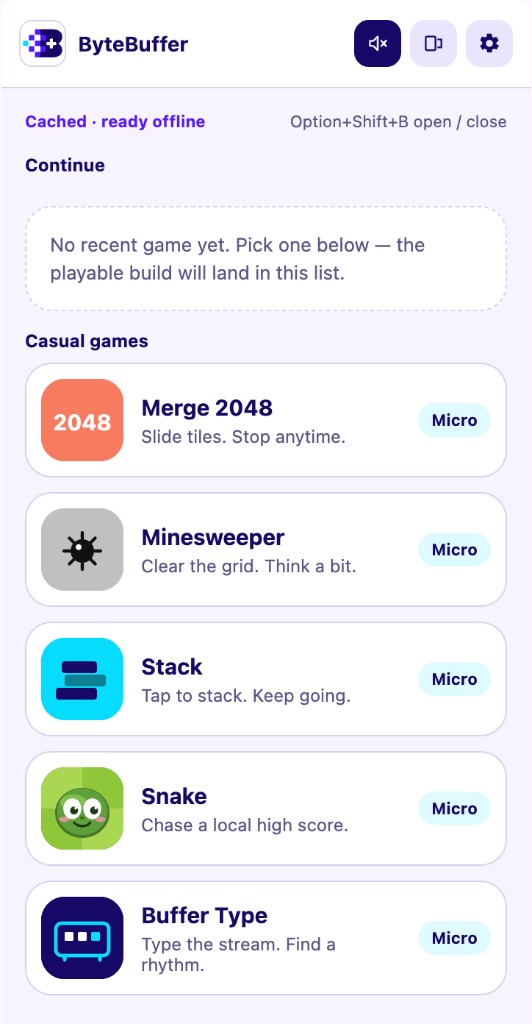
Install the extension to open ByteBuffer beside the page you’re already looking at. Merge Town and the other casual games appear in that panel—not on this marketing page.
More from ByteBuffer
Merge Town is one of the short casual games in ByteBuffer. See the product overview or add the extension to try the full list in the side panel.
- Merge 2048 — slide tiles, merge bigger numbers
- Minesweeper — uncover the board, think before you click
- Stack — tap to drop a block, climb higher
- Snake — grow longer, beat your high score
- Buffer Type — type the stream, find a rhythm
- Pixel Post — nonogram puzzle, build a pixel stamp
- Light Rain Breaker — aim and fire, smash the bricks
- Merge Town — merge greens into buildings