
What it is
Light Rain Breaker is a bright brick-breaker: set your angle, release a shower of balls, and clear the board in short colorful bursts. Find a line that feels right, then close the panel when you’re done.
It plays inside Chrome’s side panel next to your work. Once cached, you can keep raining balls offline.
How to play
- Add ByteBuffer to Chrome from the Web Store.
- Open the side panel with the toolbar icon or Alt+Shift+B (Option+Shift+B on Mac).
- Choose Light Rain Breaker from the game list.
- Aim with the pointer or keys, fire the volley, and clear bricks. Adjust the angle each round for a better rain.
- Press the same shortcut again when you want to close the panel and continue.
Why the side panel
-
Plays offline
After Light Rain Breaker is cached on your device, you can keep playing with no network.
-
One-key close
Close the side panel in one keystroke and return to the page you were on.
-
Stay in the tab
No new window. The layout is made for a narrow column beside your work.
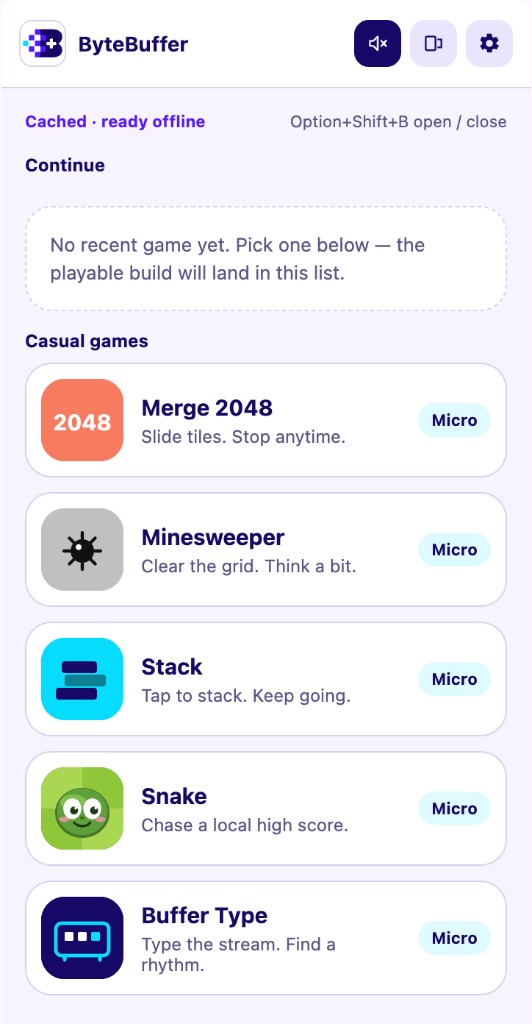
In the Chrome side panel
Install the extension to open ByteBuffer beside the page you’re already looking at. Light Rain Breaker and the other casual games appear in that panel—not on this marketing page.
More from ByteBuffer
Light Rain Breaker is one of the short casual games in ByteBuffer. See the product overview or add the extension to try the full list in the side panel.
- Merge 2048 — slide tiles, merge bigger numbers
- Minesweeper — uncover the board, think before you click
- Stack — tap to drop a block, climb higher
- Snake — grow longer, beat your high score
- Buffer Type — type the stream, find a rhythm
- Pixel Post — nonogram puzzle, build a pixel stamp
- Light Rain Breaker — aim and fire, smash the bricks